Emergency
Phone speaker crackling is one of the most misdiagnosed problems in mobile audio. Most users immediately assume a blown speaker — but in the vast majority of cases, the cause is debris, moisture, a software equalizer conflict, or an overdriven amplifier at maximum volume. Identifying which cause you have takes less than two minutes. This guide walks through all five causes, how to tell them apart, and the right fix for each.
Key Takeaways
- Crackling at high volume only is almost never hardware damage — it is debris, moisture, or an overdriven amplifier
- Crackling at all volumes across all audio sources is the specific signature of a blown speaker membrane
- Equalizer apps and built-in sound enhancement features are a common but overlooked cause of persistent crackling
- Water-caused crackling has a distinctive wet, bubbly quality — different from dry, harsh distortion
- A frequency sweep test identifies which Hz range triggers crackling, pointing directly to the cause
- Run through all software and debris fixes before concluding you need hardware repair
The 5 Causes of Phone Speaker Crackling
Cause 1: Debris on the Speaker Membrane
The most common cause of crackling in phone speakers — particularly in India where pocket carry through dusty and outdoor environments is common — is fine dust, lint, or sand particles that have passed through the speaker grille and settled on the membrane. When the membrane vibrates to produce sound, the debris vibrates with it, creating a rattling or crackling noise that gets noticeably worse at higher volumes.
How to identify it: Crackling is worse at medium-to-high volume and cleaner at low volume. It may be intermittent — appearing and disappearing as debris shifts position on the membrane.
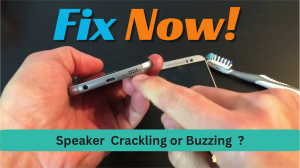
How to fix it: Acoustic vibration at specific low frequencies can dislodge debris from the membrane surface. Run SpeakerCure's acoustic cleaning tool at 80–90% volume for 2–3 sessions. For surface debris on the grille mesh, physical grille cleaning with a soft brush removes what acoustic vibration misses. Combining both methods is the most thorough approach.
Cause 2: Moisture on the Membrane
Water or sweat that has entered the speaker chamber creates a distinctive wet crackling or sputtering sound — different from dry debris crackling. The membrane tries to vibrate but the water's surface tension and weight dampen movement and create irregular, bubbly distortion.
How to identify it: Crackling appeared suddenly after water exposure — rain, sweat, pool, sink. The sound has a wet, bubbly quality rather than a dry, sharp crack. It often worsens when the phone is warm, as remaining moisture evaporates and briefly condenses during temperature changes.
How to fix it: Acoustic water ejection. Run SpeakerCure with the phone speaker-side down at 80–90% volume for multiple sessions. See the full protocol in our water damage emergency guide if the exposure was significant.
Cause 3: Equalizer and Sound Enhancement Conflicts
Third-party equalizer apps, music player equalizer settings, and built-in sound enhancement features — Dolby Atmos on Samsung, Mi Sound Enhancer on Xiaomi, Dirac HD on some OnePlus models — process audio output in real time. When these features push certain frequency bands beyond the speaker amplifier's clean output ceiling, the result is digital distortion that sounds like crackling or buzzing.
How to identify it: Crackling started after installing a new audio app, after an OS update, or after changing sound settings. It only affects certain apps (music player but not system sounds or calls). Disabling equalizer settings immediately reduces or eliminates the crackling.
How to fix it:
- Uninstall third-party equalizer apps
- Samsung: Settings → Sounds and Vibration → Sound Quality and Effects → disable Dolby Atmos, set Equalizer to Normal
- Xiaomi/Redmi: Settings → Sound & Vibration → disable Mi Sound Enhancer
- OnePlus: Settings → Sound & Vibration → disable Dirac HD Sound
- Disable each enhancement one at a time to identify which one was causing the conflict
Cause 4: Overdriven Amplifier at Maximum Volume
Every phone speaker has a maximum clean output level determined by its amplifier's design. Above that threshold, the amplifier clips the audio signal — producing a harsh crackling that appears specifically at 90–100% volume. This is not hardware damage. It is the amplifier reaching its physical output limits.
How to identify it: Crackling only occurs at maximum or near-maximum volume. At 80% or below, audio is completely clean. The crackling is consistent across all audio sources and all apps at high volume.
How to fix it: Keep volume at or below 85%. If you need louder audio, a Bluetooth speaker provides significantly more clean output than a phone's internal amplifier can deliver at maximum. The phone's built-in speaker is not designed to replace a portable speaker for high-volume situations.
Cause 5: Physical Membrane Damage (Blown Speaker)
A blown speaker — where the membrane has torn, detached from its surround, or the voice coil has been damaged — produces crackling at every volume level across every audio source. This is the least common cause but the only one that requires hardware replacement.
How to identify it: Crackling is consistent at low, medium, and high volume. It appears across phone calls, music, videos, and system notification sounds without exception. The phone may have been dropped from significant height or submerged in water immediately before the crackling started.
How to fix it: Hardware replacement at an authorised service centre. Before reaching this conclusion, exhaust all the other fixes — the vast majority of crackling that users assume is a blown speaker is actually debris, moisture, or software.
Quick Diagnosis: Match Your Crackling to Its Cause
| Crackling Pattern | Most Likely Cause | Recommended Fix |
|---|---|---|
| Worse at high volume, clean at low | Debris on membrane or overdriven amp | Acoustic cleaning or reduce volume to 85% |
| Wet, sputtering, bubbly quality | Moisture on membrane | Acoustic water ejection |
| Only in music apps, not calls or system sounds | Equalizer or sound enhancement conflict | Disable Dolby Atmos / Mi Sound Enhancer |
| Started immediately after an OS update | Audio driver or sound effect conflict | Disable sound effects, check for newer update |
| Consistent at all volumes and all audio sources | Blown speaker membrane | Hardware replacement required |
| Intermittent — appears and disappears | Loose debris or loose internal connection | Acoustic cleaning first; professional inspection if it persists |
How to Use a Frequency Sweep to Diagnose Crackling
A frequency sweep reveals exactly which part of the audio range triggers the crackling on your specific phone. SpeakerCure's Diagnostic Test sweeps from 100 Hz to 8,000 Hz and shows where distortion appears:
- Crackling at 100–300 Hz (low frequencies): Strong indicator of water or heavy debris — the bass frequencies drive large membrane movement that the blockage resists
- Crackling at 1,000–3,000 Hz (mid frequencies): Often an equalizer or audio processing conflict — this range is most affected by software overdrive
- Crackling at 4,000–8,000 Hz (high frequencies): Suggests membrane stress or wear at high-frequency resonance — the treble driver may have sustained damage
- Crackling across the full range: Points to a blown speaker membrane or seriously compromised hardware
Frequently Asked Questions
Is crackling always a sign of a blown speaker?
No. Blown speaker crackling is consistent across all volumes and all audio sources — that is its specific signature. If your crackling is louder at high volume, only in certain apps, or started after water exposure, those are all signs of fixable causes. Work through Causes 1–4 before assuming hardware failure.
Why does my speaker crackle at high volume?
High-volume crackling is caused by either debris or moisture on the membrane (which resists the large-amplitude vibration at high volume) or the phone's amplifier clipping at maximum output. Run acoustic cleaning first. If that doesn't help, try keeping volume at 85% and test if the crackling disappears.
Why does my speaker crackle during music but not calls?
Phone calls and music use different speakers — calls use the earpiece at the top, music uses the loudspeaker at the bottom. If only the loudspeaker crackles during bass-heavy music, the most likely cause is an equalizer pushing bass beyond the amplifier's clean range, or debris resonating with bass frequencies specifically.
My speaker started crackling after getting wet — what do I do?
Run acoustic water ejection immediately at speakercure.com, phone speaker-side down, at 85% volume for 2–3 sessions of 60–90 seconds each. The wet crackling should reduce with each session as water is expelled. Follow the full protocol in our water damage emergency guide.
Can I fix crackling without opening the phone?
Yes, in most cases. Debris, moisture, and equalizer conflicts — which account for the vast majority of crackling reports — all respond to fixes that do not require opening the device. Only confirmed membrane damage needs professional repair.
Conclusion
Most phone speaker crackling is not a hardware problem — it is a debris, moisture, or software problem with a straightforward fix. Match your crackling pattern to the cause table above, start with the most common cause for your situation, and work from there. A frequency sweep test from SpeakerCure's Diagnostic Tool takes two minutes and tells you exactly which frequency range is triggering the distortion — making it easy to identify the cause and apply the right fix.