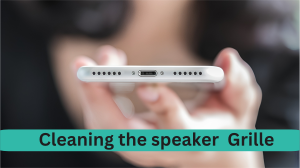
Repair Guide
A blocked speaker grille is one of the most common — and most overlooked — causes of poor phone audio. Lint, dust, and skin oils accumulate in the mesh over weeks of pocket carry and gradually muffle the membrane behind it. A full blockage can reduce output volume by 40–60% compared to a clean grille. The good news: grille cleaning takes under five minutes and requires tools you already own.
Key Takeaways
- A fully blocked speaker grille can reduce volume by 40–60%
- The safest primary tools are a soft-bristle brush and adhesive putty (Blu-Tack)
- Never insert anything sharp or metallic into the speaker holes
- Isopropyl alcohol 70% is safe for metal and plastic grilles — never on fabric grilles
- Clean every 2–4 weeks depending on carry habits
- If cleaning does not restore sound, the problem is likely moisture inside the speaker chamber — beyond physical cleaning
Why Phone Speaker Grilles Get Blocked
The speaker grille is a high-traffic surface on a device you handle dozens of times per day. Several factors accelerate debris accumulation:
- Pocket lint and fabric fibres — the most common source. Denim and wool fabrics shed microscopic fibres that compact tightly into the mesh openings with every pocket insertion
- Skin oils and dead skin cells — transfer from fingers during calls and create a sticky surface that traps airborne particles
- Dust and sand — outdoor and gym environments significantly accelerate grille blockage
- Cosmetic residue — foundation, sunscreen, and hair product particles deposit on the earpiece grille during calls
- Bacteria — studies have identified E. coli and Staphylococcus on phone surfaces, including near speaker grilles. Regular cleaning is a hygiene consideration as well as an audio one
What You Need — Safe Cleaning Tools
You do not need any specialised equipment. These are the recommended tools in order of preference:
- Soft-bristle brush — a clean, dry toothbrush or a small paintbrush. Natural bristles are softer than synthetic and less likely to shed into the grille
- Adhesive putty (Blu-Tack) — lifts compacted debris from deep in the mesh without abrasion. Available at any stationery shop
- Isopropyl alcohol 70% — for disinfecting the grille surface after mechanical cleaning. Apply only to metal or plastic grilles, never fabric
- Microfiber cloth — for wiping the surrounding case and grille frame after cleaning
- Wooden toothpick — for dislodging debris from the outer grille frame only. Never insert into grille holes
Step-by-Step: How to Clean a Metal Mesh Speaker Grille
Most modern smartphones (iPhone 15, Pixel 8, Samsung S24) use a metal mesh grille. This is the safest type to clean.
- Power off your phone. This prevents accidental calls and reduces electrical risk if any moisture is involved.
- Inspect with a flashlight. Hold your phone at arm's length and shine a torch at the grille at a shallow angle. This reveals the extent of debris accumulation and identifies where to focus.
- Dry brush pass. Use a clean, dry soft-bristle brush. Sweep in one direction only — outward from the grille centre. Do not scrub back and forth, as this pushes debris further into the mesh.
- Adhesive putty lift. Roll a small piece of Blu-Tack into a ball and press it firmly but gently against the grille. Do not twist — press and lift straight up. Repeat with a fresh piece of putty until no more debris transfers. This is the most effective step for deeply compacted lint.
- Second brush pass. A light brush pass after the putty treatment removes any remaining loose particles dislodged by the putty.
- Optional: isopropyl alcohol disinfection. Apply a small amount of isopropyl alcohol 70% to a microfiber cloth — not directly to the phone. Wipe the grille surface lightly. Allow full evaporation (30–60 seconds) before powering on.
- Inspect again. Return to the flashlight check. Light should now pass visibly through most of the grille holes.
Step-by-Step: How to Clean a Fabric Speaker Grille
Some devices — particularly OnePlus and Nokia models — use fabric-covered grilles. These require a different approach as they absorb liquids.
- Dry brush only. Use a very soft brush — a make-up brush or baby toothbrush works well. Brush lightly in one direction.
- Adhesive putty. Works on fabric as well as mesh — press and lift. Effective for pulling surface fibres and lint off the fabric weave.
- Lint roller. Press a lint roller gently against the fabric grille and lift. This captures surface contamination without penetrating the fabric.
- No liquids. Isopropyl alcohol and water should never be used on fabric grilles — they saturate the fabric, introduce moisture to the speaker chamber, and can cause the same muffling problem you are trying to solve.
Cleaning Adjacent Areas: Ports and Microphone
While cleaning the speaker grille, it is worth addressing the USB-C or Lightning charging port and the microphone pinhole — both accumulate debris in the same way.
For charging ports, use a wooden toothpick held at a shallow angle to gently dislodge compacted lint from the port corners or brush edges. Never insert anything into a USB-C or Lightning connector port beyond the outer rim.
For the microphone pinhole — typically a small hole on the bottom edge near the charging port or on the rear near the camera — a single pass with a dry brush or adhesive putty corner is sufficient. A blocked microphone causes the person you are calling to hear muffled audio from you — a problem often mistaken for a speaker issue on the other end.
How Often Should You Clean Your Speaker Grille?
| Usage Pattern | Recommended Frequency |
|---|---|
| Daily pocket carry | Every 2–3 weeks |
| Bag carry with loose items | Every 3–4 weeks |
| Gym / outdoor / dusty environments | Weekly |
| Office desk only, minimal pocket | Every 4–6 weeks |
| After beach or dusty environment | Immediately |
Set a phone cleaning reminder alongside your charging routine — weekly on a Sunday evening takes under five minutes and prevents the gradual muffling that most users blame on software or hardware aging.
Choosing the Right Phone Case for Speaker Protection
Your choice of case significantly affects how quickly the grille collects debris:
- Cases with precise speaker cutouts allow full airflow and do not redirect debris into the grille — preferable from an audio maintenance standpoint
- Cases that partially cover the grille muffle output by 20–30% immediately and create a pocket where lint compacts directly against the mesh
- Antimicrobial phone cases — available from brands like Case-Mate and Pela — use silver ion technology to reduce bacterial buildup on the case surface, including near the grille area
- Silicone cases accumulate lint from fabric more aggressively than hard plastic cases — if you carry your phone in a fabric pocket, hard-shell cases reduce grille debris buildup noticeably
Frequently Asked Questions
How do I know if my speaker grille is blocked?
Hold your phone at arm's length and shine a torch at the grille at an angle. If you cannot see light passing through most of the holes, the grille is blocked. A blocked grille sounds noticeably quieter and less clear than a clean one.
Can I use a toothpick to clean my speaker?
Only along the outer edge of the grille frame — never inside the holes. Use the flat side of a wooden toothpick only. Metal objects and sharp tips inserted into speaker holes risk permanent membrane damage.
Will isopropyl alcohol damage my phone?
Isopropyl alcohol 70% applied lightly to the grille surface only is safe for metal and plastic grilles. Do not apply it to fabric grilles, do not let liquid enter the holes, and allow full evaporation before use. It is used in professional electronics cleaning at these concentrations.
How do I clean a fabric speaker grille?
Fabric grilles require dry cleaning only — no liquids. Use a soft brush and adhesive putty. For stubborn debris, a lint roller pressed gently against the fabric can lift surface contamination without introducing moisture.
Does cleaning the speaker grille really improve sound quality?
Yes, measurably. A fully blocked grille can reduce output volume by 40–60% compared to a clean grille. Users regularly report a noticeable improvement in volume and clarity after a thorough cleaning session.
My speaker is clean but still sounds muffled — what now?
If physical cleaning does not restore sound quality, the cause is likely moisture inside the speaker chamber rather than surface debris. Moisture sits behind the grille and dampens the membrane directly. Run a water ejection cycle at speakercure.com to address internal moisture that physical cleaning cannot reach. You can also test if cleaning worked using our diagnostic guide.
Conclusion
Cleaning your phone speaker grille is one of the simplest maintenance habits that delivers an immediate, audible result. A brush, adhesive putty, and a light alcohol wipe every few weeks keeps the mesh clear, your audio sharp, and bacteria off a surface that spends time near your face.
If your speaker still sounds muffled after a thorough grille cleaning, the problem is likely moisture or debris inside the speaker chamber — beyond what any physical cleaning can reach. Run SpeakerCure's free acoustic cleaning tool at speakercure.com — it takes two minutes and addresses the blockages that brushes and putty cannot touch.